![alcomy_logo_color_black.png]](https://help.alcomy.com/hs-fs/hubfs/alcomy_logo_color_black.png?height=50&name=alcomy_logo_color_black.png)
💡 TIP If a user needs access restored to multiple facilities, you'll need to follow the steps below at each facility in Alcomy.
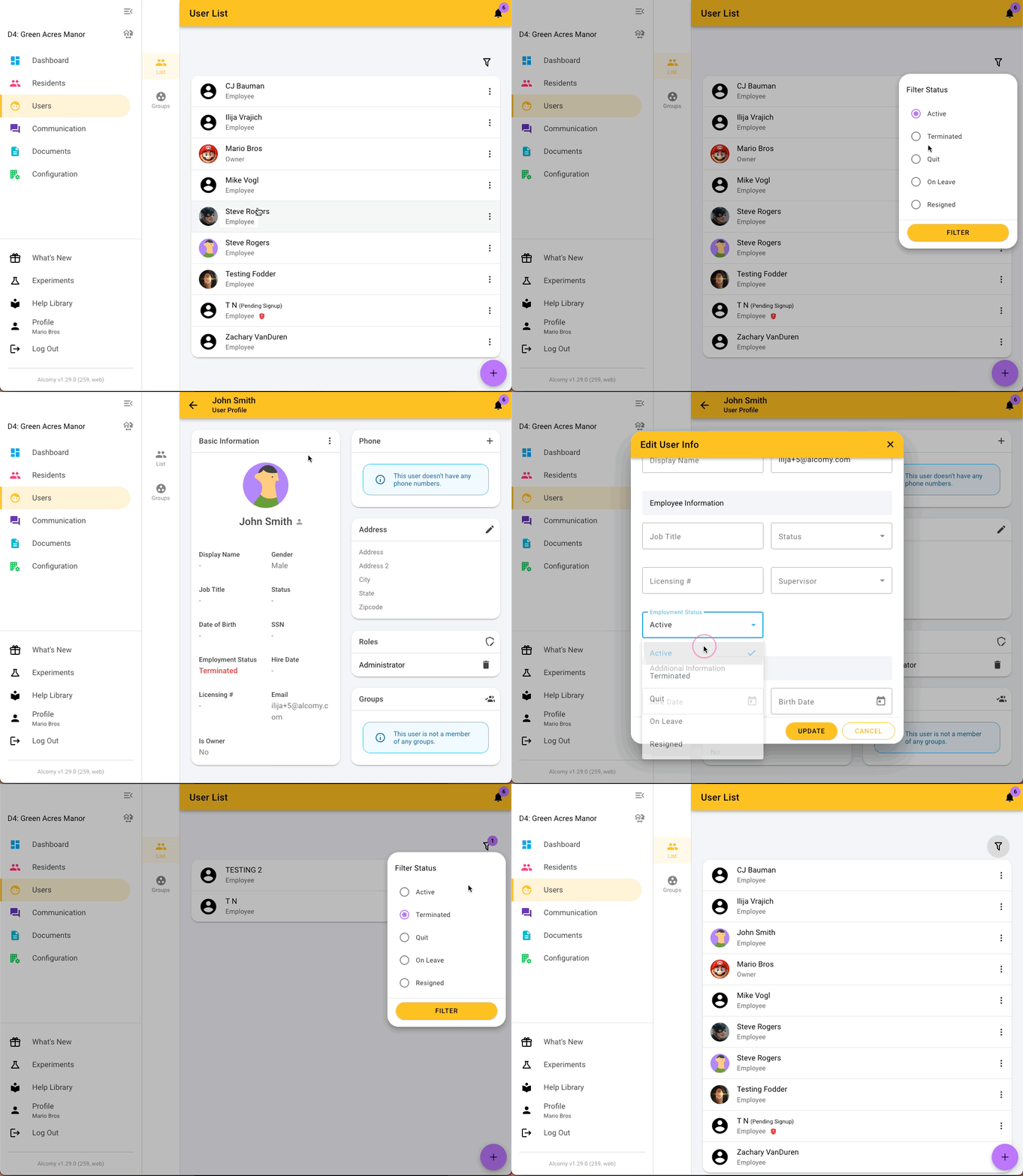
1. First, navigate to the User list.
2. Click on the filter button (it sits to the top right of the user list) and choose the filter status. Then find the user you wish to reactivate.
3. Click the 3 dots by the section titled 'Basic Information' and change the Employment Status back to active.
🎉 Success! This user can now log in to Alcomy and access this facility again.
🚨 You will want to make sure that you setup the proper role permissions again for this user.