![alcomy_logo_color_black.png]](https://help.alcomy.com/hs-fs/hubfs/alcomy_logo_color_black.png?height=50&name=alcomy_logo_color_black.png)
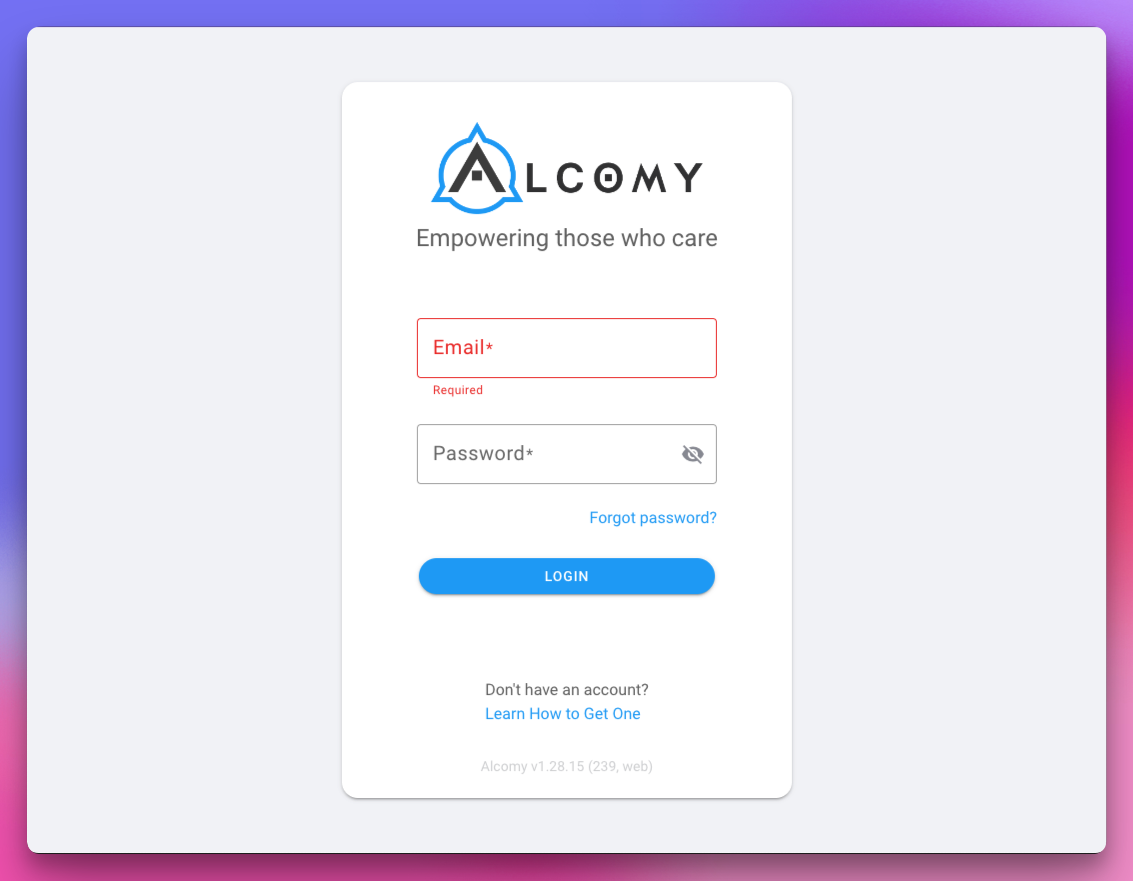
Please follow each step in order to reset your password when you have forgotten what it is.
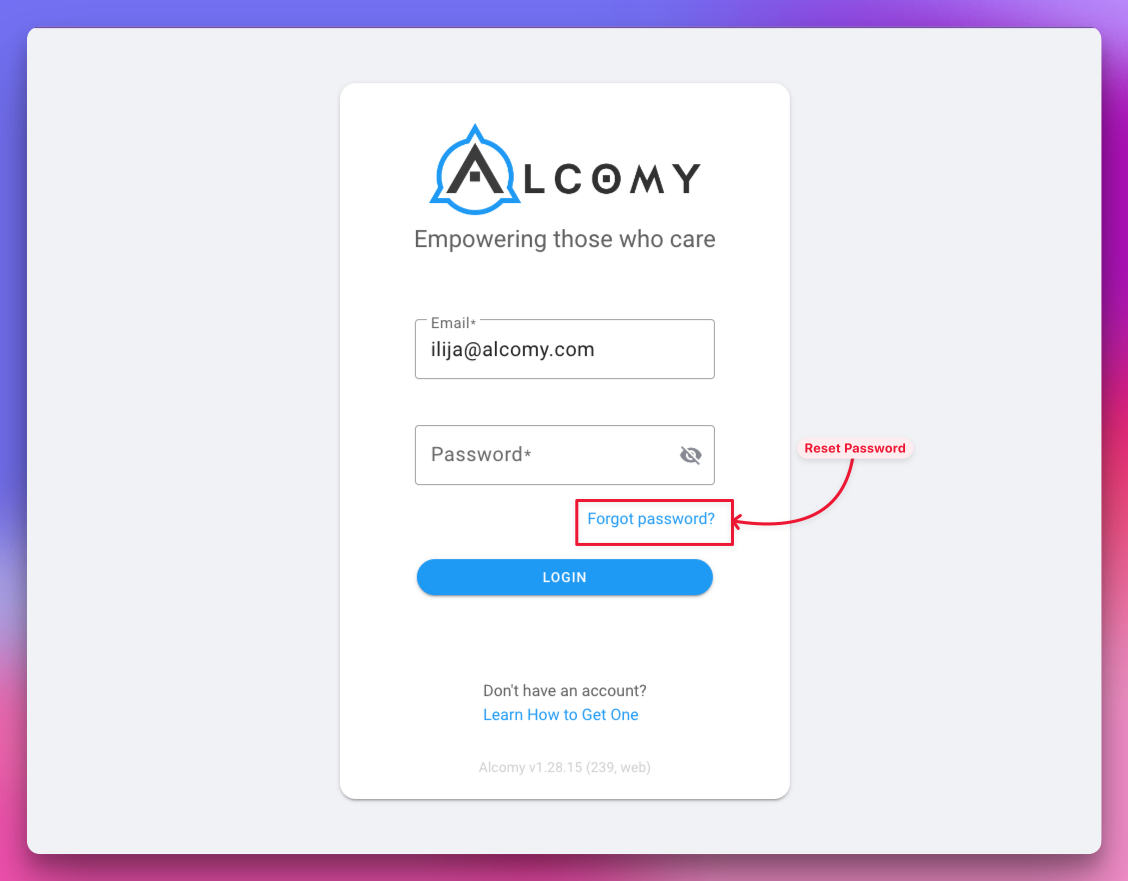
Step 1: Click the "Forgot Password
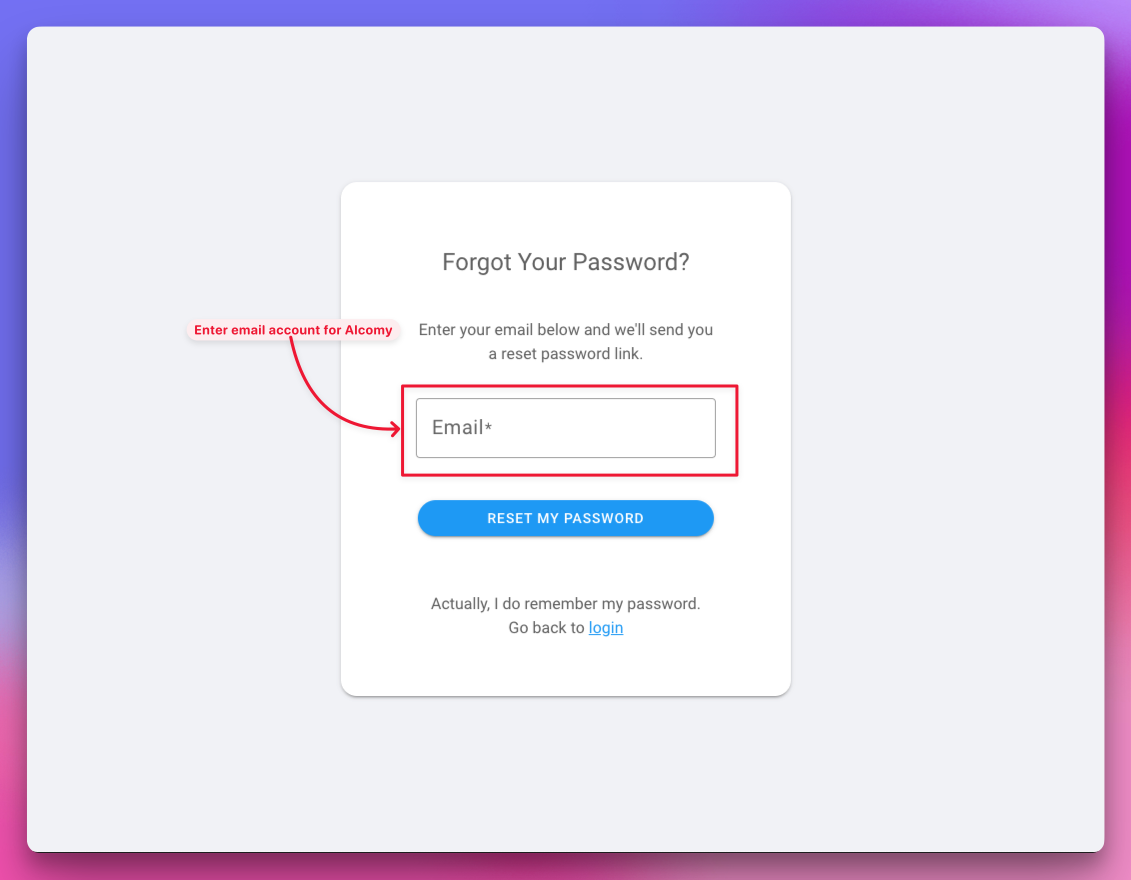
Step 2: Enter the email you use to login to Alcomy and click the "reset my password" button.
💡 TIP If clicking this button does nothing, your email does not have an Alcomy account. Your administrator will need to invite you.
💡 TIP Make sure to use the email associated with your Alcomy account.
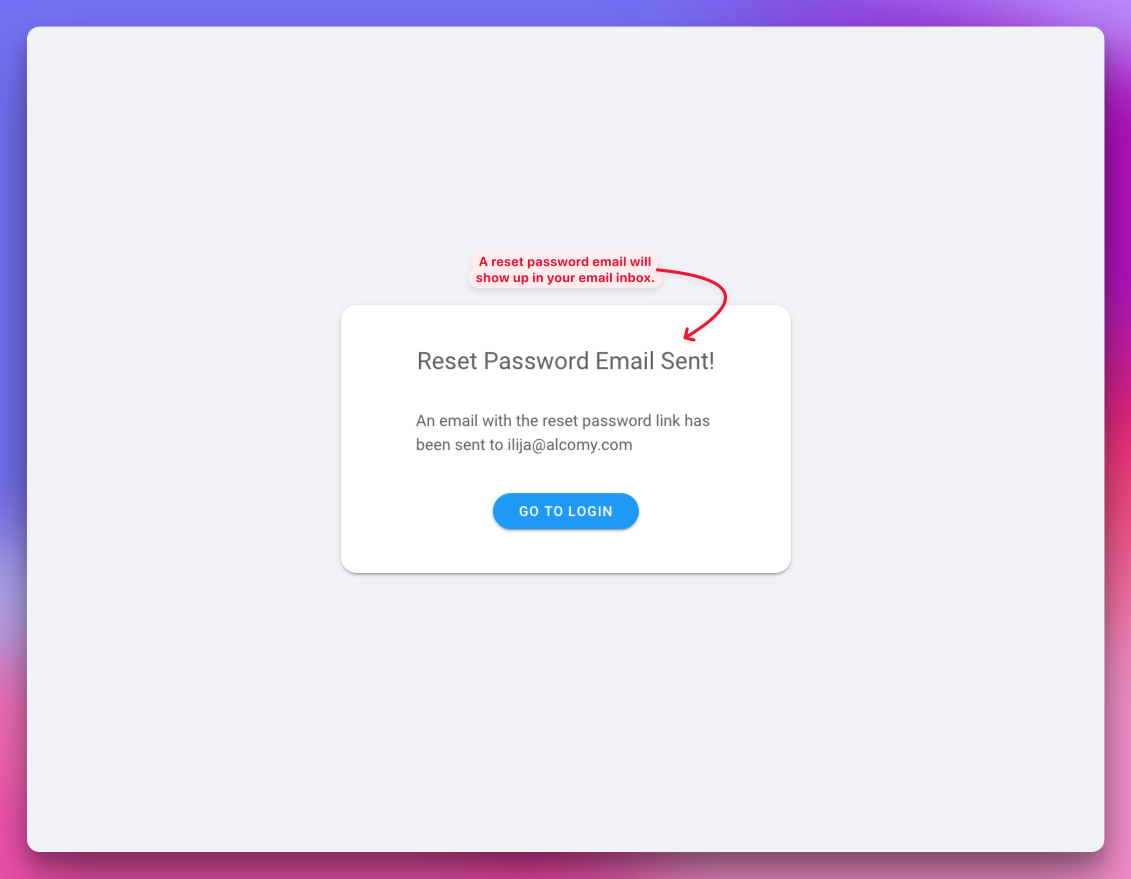
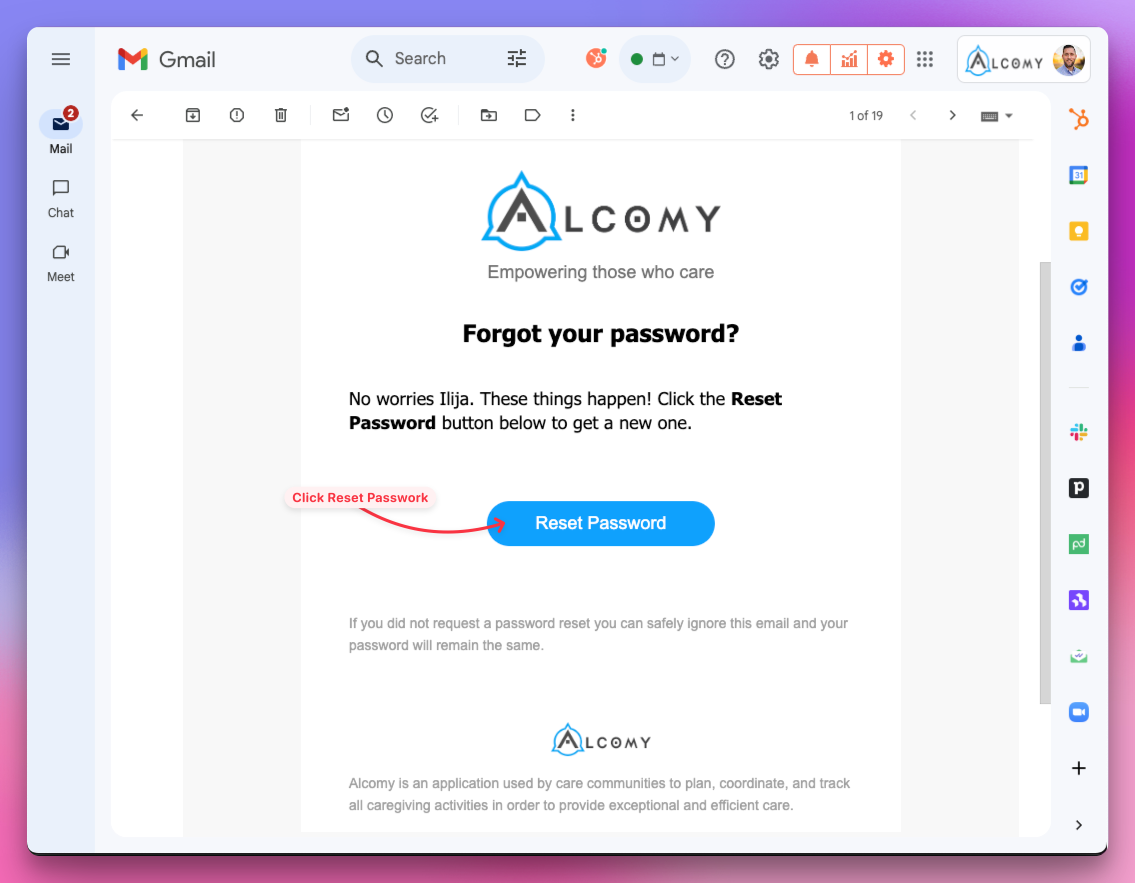
Step 3: Go find the reset password email in your email inbox.
Step 4: Open email in your inbox and click the "Reset Password" button contained in the email
💡TIP If you don't see your email right away, wait a few minutes or check your spam folder.
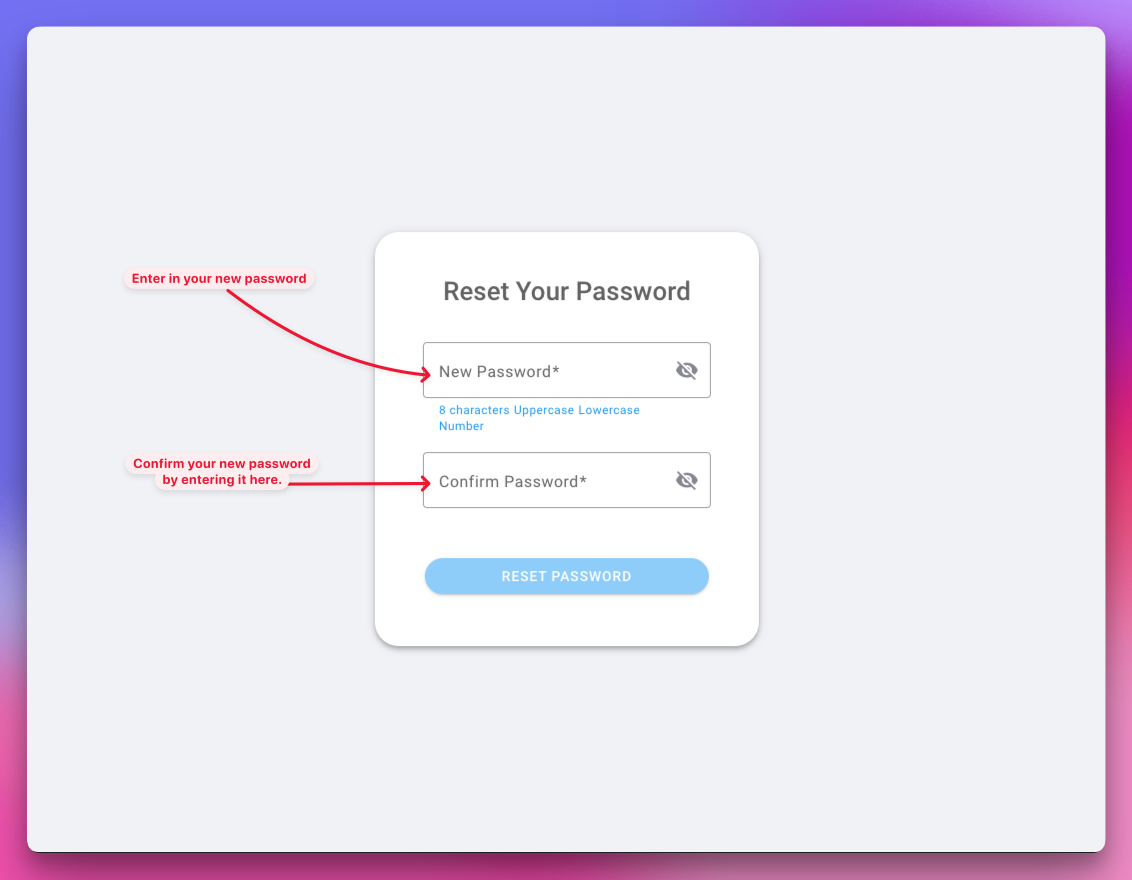
Step 5: Create new password
Step 7: Go to login page
💡TIP You can log in on the Alcomy app on your mobile device or at app.alcomy.com on your browser.
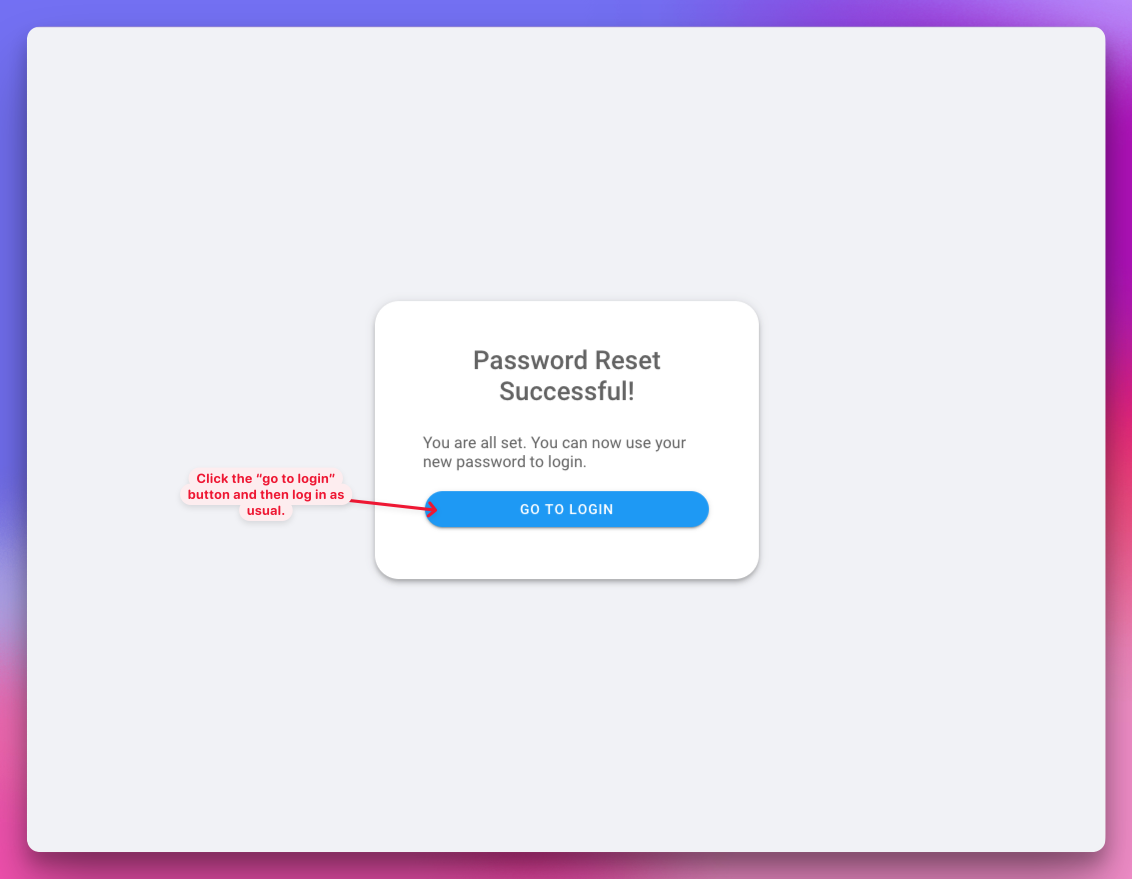
Step 8: Login
🎉 Success! If you are still having issues logging in, fill out this form to get in touch with our support team.